







About game
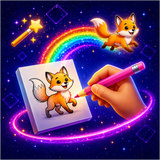
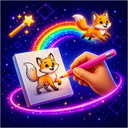
Animator: Cartoon Studio is a game where you can try yourself as an animator! Create animated shorts right in your browser — no need to download anything.
Features:
* Drawing tools: pencil, eraser, bucket fill, and color picker.
* Frame-by-frame animation.
* «Onion skin» feature to see the previous frame — just like in professional studios.
* A choice of 24 colors or create your own.
* Adjust the playback speed from 1 to 30 frames per second.
* Save your creations to a personal gallery.
* Export finished animations as GIF, PNG, or video.
Choose from three formats:
* Standard 4:3 — the classic aspect ratio.
* Widescreen 16:9 — for horizontal videos.
* Vertical 9:16 — ideal for social media clips.
Suitable for both children and adults — from simple sketches to complex animations. Let your imagination run wild, create funny memes, and share your cartoons with friends!
How to play
1. Select a tool: pencil, eraser, fill bucket, or color picker. 2. Set the brush size and choose a color from the palette. 3. Create your initial frame on the canvas. 4. Press «New Frame» — a new sheet with a faint outline of the previous drawing (onion skin) will appear. 5. Continue drawing frame by frame to animate the movement. 6. Hit «Play» to watch your animation come to life! 7. Save your creation to the gallery or export it as a GIF/video to share with friends. Pro tip: the greater the number of frames, the smoother the animation will be. Begin with 5–10 frames for simple movements.Game info
Age rating
0+
Platforms
Authorization support
Yes
Localization
Russian, English
Screen orientation
Release date
Cloud saves
No
Categories