






BedWars Online
82Playhop rating
About game
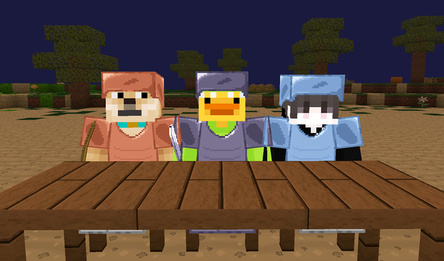
In BedWars Online, players engage in swift multiplayer PvP action, forming teams and defending their bases on floating islands. Each team starts with a bed that needs to be safeguarded from rival assaults. Participants gather resources, purchase weapons and armor, construct bridges linking the islands, and launch attacks on enemy strongholds to obliterate their adversaries' beds.
The game offers rapid-fire online confrontations, squad clashes, block construction, an inventory management system, gear enhancements, and diverse maps. Once a team's bed is demolished, its members lose the ability to respawn, heightening the stakes of each encounter. Triumph is secured by either eradicating all foes or annihilating the last fortified bed on the map.
BedWars Online seamlessly merges PvP skirmishes, construction, tactical teamwork, and survival components in a blocky aesthetic. Team up with your pals, strategize your offensive and defensive moves, shield your bed, and battle for supremacy amidst the towering arenas!
How to play
Desktop: - WASD: move the character. - SHIFT: run. - Space: jump. - C: crouch. - E: access inventory. - T: open chat. - TAB: pause the game and open settings. - Left mouse button: swing the sword. - Right mouse button: place a block. - Mouse wheel: switch between inventory slots. - 1, 2, 3, 4, 5, 6: quickly switch inventory slots. Smartphone: - Joystick on the left side of the screen: control movement. - Swipe: rotate the camera. - Tap the sword icon: attack. - Double arrows icon: activate running. - Up arrow icon: make the character jump. - Down arrow icon: crouching mode. - Crosshair icon: place blocks. - Gear icon: open the game menu. - Bag icon: access the inventory. - Inventory slot at the bottom of the screen: select an item.Game info
Age rating
12+
Platforms
Authorization support
Yes
Localization
Russian, English
Screen orientation
Release date
Cloud saves
Yes
Categories