




About game
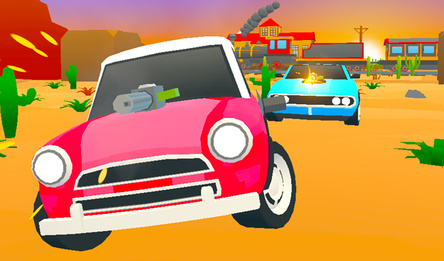
Crazy Traffic is an arcade racing game where you race through heavy traffic at full speed.
The game offers four modes: driving with one-way traffic, two-way traffic with oncoming lanes, time trial, and free ride.
Choose from three tracks: desert, forest, and snowy winter, with the forest and winter tracks available for unlocking with coins.
Earn points for distance covered, overtakes, time spent at high speed, and collected coins — set records in all modes except free ride.
Collect coins on the road and spend them in the garage to unlock new cars and upgrade acceleration, top speed, brakes, nitro, and grip. You can also change the paint job, stickers, and rims.
Use nitro for a speed boost and slow motion to slip between cars.
In Challenge mode, select one of six races, place a coin bet, and beat the computer-controlled rival to the finish — a win will double your bet.
Spin the prize wheel once a day for free, and extra spins can be purchased with coins.
How to play
Decide on Single Play or Challenge, select a vehicle in the garage, and hit Next. Next, pick a track and mode. In Challenge, opt for a race with a bet and click Play. To steer, use the left and right arrows or A and D. Accelerate with the up arrow or W, brake with the down arrow or S. Activate nitro with the space bar or left Shift. On mobile, rely on the screen buttons for moving left, right, braking, and nitro. Use the on-screen controls to activate slow motion and change the camera angle. In settings, choose Auto control for automatic acceleration or Manual to control it yourself. Stay clear of other cars on the road — collisions can slow you down and end your game.Game info
Age rating
0+
Platforms
Authorization support
Yes
Localization
Turkish, Russian, English
Screen orientation
Release date
Cloud saves
Yes
Categories