











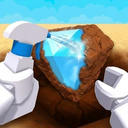
Dig & Clean
40Playhop rating
About game
Join Dig & Clean!
Here's how to play:
Unearth grimy debris and hidden riches!
Give them a good clean to reveal what they really are!
Track down the game's most elusive treasures!
Show off your finest discoveries in your personal museum!
Upgrade your shovels and buy powerful cleaning sprays!
How to play
Desktop: WASD / Arrow Keys — character movement. Hold the RMB and move the mouse — adjust camera angle. Mouse Wheel — change zoom level. Space — make the character jump. Hold E or LMB — begin digging. Press E or LMB repeatedly — continue digging. Hold LMB and move mouse over object — clean discovered item. 1–9 — choose an item from inventory. Hold E — sell, place, or pick up selected item. Hold E — start cleaning an item or buy an upgrade. Phone / Tablet: Left joystick — move the character. Swipe on the right side of the screen — rotate camera view. Jump button — make character jump. Hold contextual button — start digging, sell, place or take an item. Tap contextual button repeatedly — dig. Hold contextual button — begin cleaning or buy an upgrade. Hold and slide finger over item — clean discovery. Tap inventory slot — select item.Game info
Age rating
6+
Platforms
Authorization support
Yes
Localization
Russian, English
Screen orientation
Release date
Cloud saves
Yes
Categories