Log in with your username to reliably save your game progress and achievements
About game
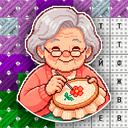
«Grandma's Keepsake: Cross-Stitch Embroidery» is a relaxing game where you can embroider pictures with your own hands. There's no hurry or strict time limits — just you, the canvas and the pleasure of each stitch. The gallery has patterns of different levels of complexity and various themes.
To create your masterpiece, choose the right thread colour and place crosses according to the cells marked with letters. If you make a mistake, simply use the seam ripper to fix it. The atmosphere is reminiscent of real embroidery: satisfying sounds, easy zooming, useful tips and an intuitive interface.
Once the picture is complete, you'll appreciate your work and get a reward. This game is ideal for both experienced needleworkers and those who are just starting out. «Grandma's Keepsake: Cross-Stitch Embroidery» offers a chance to take a break from everyday life and create something lovely. Give it a go — every cross brings a touch of joy!
How to play
On mobile devices:
To draw: pick a colour from the palette at the bottom and swipe your finger over the cells with the corresponding letter.
To move the canvas: place two fingers on the screen and slide the image in any direction.
To zoom: use the magnifying glass buttons in the bottom-right corner to adjust the scale.
On PC:
To draw: choose a colour from the bottom palette and drag across the canvas while holding down the left mouse button (LMB).
To move the canvas: hold down the right mouse button (RMB) and move the mouse.
To zoom: roll the mouse wheel to increase or decrease the zoom level.
Useful tools:
The seam ripper on the left side of the palette will help you undo any mistakes.
Boosters in the dropdown menu at the top right will help you complete the picture faster — they can fill in cells, remove all incorrect crosses, or embroider an entire area.