

About game
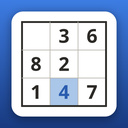
Hard Sudoku offers a classic 9×9 puzzle experience for those who have outgrown simpler versions. The game features nine difficulty levels: Very Easy, Easy, Medium, Hard, Very Hard, Expert, Master, Extreme, and Legend, where logic gives way to guesswork.
With 8200 puzzles in total — 1000 on each level except Legend, which has 200 — each puzzle guarantees a unique solution, verified rigorously.
Hints in Hard Sudoku do more than reveal a single cell; they highlight relevant cells, explain the technique used, and justify the digit's placement. Mistakes are instantly caught: duplicate digits in a row, column, or block are highlighted, and a grid check uncovers hidden errors.
The game offers candidate notes, undo and redo functions, three input schemes, light and dark themes, sound effects for every action, and language switching between Russian and English.
You can work on multiple unfinished puzzles simultaneously, with progress synced across devices via the cloud. Leaderboards track your solved puzzles, streaks, and best times on each level.
How to play
In Hard Sudoku, your goal is to fill a 9x9 grid with digits from 1 to 9 so that each row, column, and 3x3 block contains unique numbers without repetitions. The starting digits are preset and cannot be altered. Settings let you customize the input method and interface language: - Digit first: press a digit on the keypad, then tap the grid to place it. - Cell first: tap a cell to select it, then enter digits. - Automatic: the game adapts to your first action. Entering a digit again will erase it, and the eraser tool clears cells with each tap. Notes transform the keypad into a pencil mode, allowing you to enter candidate digits in cells, while writing a digit erases matching notes in its row, column, and block. Use Undo and Redo to navigate through your moves. Watching an ad activates three buttons: Hint to find the next move (up to three hints per puzzle), Check the grid to compare your progress with the solution, and Auto notes to fill candidates across the entire board. On a computer, you can also use digit keys, arrows, and Backspace.Game info
Age rating
6+
Platforms
Authorization support
Yes
Localization
Russian, English
Screen orientation
Release date
Cloud saves
No
Categories