




About game
In Minesweeper Without Guessing, you won't need to rely on luck. Each board is solvable with logic alone, ensuring there are no dead-ends or 50/50 chances.
Campaign offers 120 boards across nine chapters, starting from a simple 5×5 grid with two mines and progressing to more challenging 24×22 layouts. Early levels guide you through the basics: understanding numbers, using flags, and revealing neighboring cells. Earn stars for speed and completing levels without hints.
Classic mode includes three board sizes like the original game: 9×9 with ten mines, 16×16 with forty, and 30×16 with ninety-nine. Plus, create custom boards of any size and mine density.
The Daily board is the same for everyone, updating daily. Winning consecutively builds a streak, and your results are posted on leaderboards. Enjoy three daily quests and track your stats.
Hints provide logical explanations without revealing cells, helping you understand the path to the solution.
No registration or installation required, and it works on even the most basic phones, weighing in at under a hundred kilobytes.
How to play
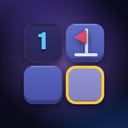
The objective is to reveal all cells except those with mines. Each revealed cell with a number indicates how many mines are hidden among its eight neighboring cells. If there are no mines nearby, the cell is blank, and such cells are automatically opened in groups. The initial move is always safe. The gameplay revolves around two key principles: if a cell with the number 1 has only one unopened neighbor left, that neighbor contains a mine; if all mines adjacent to a numbered cell are already flagged, the remaining neighbors are safe to open. To place a flag, use a long press or the right mouse button. You can also activate flag mode, which allows you to place flags with a single tap. Tapping an already open number that has the correct amount of flags around it will automatically open all its remaining neighboring cells—this is the primary way to speed up progress on a phone. No guessing required! If you get stuck, the "Hint" feature will identify the relevant numbers and guide you through the logic step by step. On a computer, use the spacebar for flag mode, R to restart, Esc to go back, and the mouse wheel to zoom.Game info
Age rating
0+
Platforms
Authorization support
Yes
Localization
Russian, English
Screen orientation
Release date
Cloud saves
Yes
Categories