Log in with your username to reliably save your game progress and achievements
About game
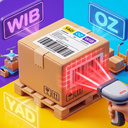
Step into the dynamic world of working at a pickup point!
Assist customers, scan barcodes from their phone screens, input codes into the computer system, locate packages in the storage area, and hand them over to the buyers.
Game highlights:
- Authentic first-person perspective
- Three types of customers: those with smartphones, paper slips, or verbal codes
- Fitting room functionality with options for trying on items and returns
- Customizable interior designs for your pickup point
- Improvements for character movement speed
- Engaging sound effects and detailed 3D graphics
Enhance your pickup point and strive to be the top employee on duty!
How to play
Keyboard Controls (PC):
- W, A, S, D — to move around.
- Mouse — to look around.
- E / Left Mouse Button — to interact (pick up scanner/box, sit at the PC, scan).
- Q / G — to put down a box (alternative: E / Left Mouse Button).
- C / Left Ctrl — to crouch.
- Space — to jump.
- Escape — to open the pause menu or exit the game.
Touchscreen Controls (Mobile):
- Left joystick — to move.
- Right side of the screen — to rotate the camera.
- UI buttons — for interacting, dropping items, crouching, and pausing.
Game Process:
1. Get the code from the customer using the scanner or enter it via the PC in the "Enter Code" tab.
2. Locate the box with the matching code on the warehouse shelves.
3. Place the box on the delivery counter.
4. Wait for the customer's decision and complete the order on the PC!