



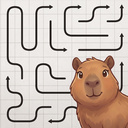
About game
Arrows vs Capybara is more than just a game — it's a delightful challenge for your brain, featuring the most endearing character ever! If you enjoy logic puzzles and mind games, this game is for you.
Your task is to help a lovable capybara escape from a maze of tangled arrows. Each arrow can only move in the direction it's pointing, but watch out — they can block each other's path! Use your logical thinking, plan your steps carefully, and clear the way for the capybara.
Game highlights:
- Addictive gameplay: tap arrows to solve intricate puzzles.
- Charming companion: rescue peaceful capybaras on each level.
- Mental workout: 300 levels ranging from simple exercises to complex challenges, with every fifth level featuring a detailed zoomable map.
- Relaxing experience: soothing visuals, no time pressure, and a calm atmosphere.
- Cozy paradise: each victory contributes to creating a warm spring for a capybara family.
- Daily quests: new challenges and winning streaks await you every day, along with hints, four arrow styles, and a leaderboard.
Sharpen your mind and show that you have what it takes to free every capybara!
How to play
In Arrows vs Capybara, you'll find the game simple to start with, but the advanced levels will put your strategic thinking to the test! Your mission: eliminate all lines from the board to free the capybara trapped in the center. Here's how to play: 1. Study the maze: observe the tangled lines and the direction of the arrows at their ends. 2. Select an arrow: tap on it, and if no obstructions are present, the line will slide off the board in that direction. 3. Be mindful of obstacles: if another line is blocking the way, the arrow won't move. Look for unblocked arrows to begin untangling. 4. Strategize: you often need to clear one line to create a path for another. Think ahead, just like in chess! 5. Utilize boosters: the buttons below the board include Hint (shows a free arrow), Hammer (removes the chosen arrow), and Magic (makes up to three moves). On larger maps, you can move the board with your finger or mouse and adjust the zoom using the + and − buttons or a pinch gesture. Tap, untangle, and emerge victorious!Game info
Age rating
6+
Platforms
Authorization support
Yes
Localization
Turkish, Russian, Spanish, English, German
Screen orientation
Release date
Cloud saves
Yes
Categories