Playhop
Block parkour - build your level

Block parkour - build your level

3,9
Players rating
6+
CasualSimulators
ProdigyDev

Similar games

+1 to keyboard speed: Brainrot
+1 Upgrade Jump Hammer Escape Obby Online 3D
Noob Jump
Noob Jump
Schoolboy: Jumps Obby
Destroy House55
Destroy House
Epic Noob Playground: An Open World67
Epic Noob Playground: An Open World
Create Skin62
Create Skin
Robby The Lava Tsunami62
Robby The Lava Tsunami
Cube Online - Survival with Friends
Nubik: Far Fly!52
Nubik: Far Fly!
TearDown - Destroy everything55
TearDown - Destroy everything
Voxel Playground: Ragdoll Noob59
Voxel Playground: Ragdoll Noob
© 2022—2026  Playhop
  • User agreement
  • Privacy policy
  • Technical Support
  • Digital Services Act
Block parkour - build your level

Block parkour - build your level

6+
  • ProdigyDev
  • ·
  • Casual
  • Simulators
3,9
Players rating
Log in with your username to reliably save your game progress and achievements

About game

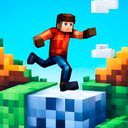
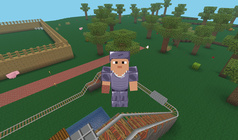
The game gives you the opportunity to test your parkour skills. You will need to go through levels of varying difficulty, the levels have difficult obstacles that you will need to think about. If you can't complete a level, it doesn't mean it's unpassable. Some levels will seem too easy to you, while others will be difficult. To complete the level, you need to get to the orange block and enter it. Beware of the "Lava" block, it kills you; touching it will return you to the beginning of the level. If a level is too difficult for you and you cannot complete it, you have the opportunity to complete it by watching a commercial. The game has a level editor. If you have an idea for a level, then you can bring it to life. The levels you create can be played by other players!

How to play

Controls on the computer when passing levels: Character control - WASD, jump - Space, acceleration - Shift, Pause - Esc. Camera sensitivity can be adjusted in the settings on the main screen. Controls on a mobile device when passing levels: The camera is controlled by touching the screen on the right side. Character control buttons on the screen. The position of the buttons and camera sensitivity can be adjusted in the settings on the main screen. Computer controls in the level editor: B - open the screen with blocks. WASD - move. Shift - go down. Spacebar - go up. Esc - pause menu. Left mouse button - place a block. Right mouse button - remove block. Controls on a mobile device in the level editor: Control buttons on the screen.
  • 3d
  • for PC
  • minecraft
  • parkour
  • mobile
  • building

Game info

Age rating
6+
Platforms
Authorization support
Yes
Localization
Russian, English
Screen orientation
Release date
Feb 19, 2024
Cloud saves
Yes
Categories
  1. All games
  2. Casual
  3. Block parkour - build your level
Feedback
Games for you
+1 to keyboard speed: Brainrot+1 to keyboard speed: Brainrot
+1 Upgrade Jump Hammer Escape Obby Online 3D+1 Upgrade Jump Hammer Escape Obby Online 3D
Noob JumpNoob Jump
Schoolboy: Jumps ObbySchoolboy: Jumps Obby
Destroy HouseDestroy House55
Epic Noob Playground: An Open WorldEpic Noob Playground: An Open World67
Create SkinCreate Skin62
Robby The Lava TsunamiRobby The Lava Tsunami62
Cube Online - Survival with FriendsCube Online - Survival with Friends
Nubik: Far Fly!Nubik: Far Fly!52
TearDown - Destroy everythingTearDown - Destroy everything55
Voxel Playground: Ragdoll NoobVoxel Playground: Ragdoll Noob59

Players say

The presence of an editor for creating levels
The ability to build and complete levels
Positive feedback about the gameplay
Mention of the W=Shift control system
Interest in adding new blocks and functions
The general idea of the game is highly appreciated
Summarized by AI based on the latest player reviews. Answers may be inaccurate