



About game
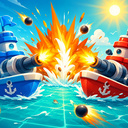
Immerse yourself in the heat of sea skirmishes! Position your vessels by hand — place them on the battlefield by dragging and adjusting their orientation.
Your mission is clear: discover the location of enemy craft before they pinpoint yours. Aim at the grid, mark your successful and missed shots, and eliminate your rival's armada — from tiny boats to a colossal four-deck battleship.
You'll be up against a clever adversary: once a vessel is spotted, the AI will systematically target it, so stay vigilant.
Earn rewards for precise triumphs, winning streaks, and strategic prowess — from your inaugural success to earning the «Legend of the Seas» title. Enjoyable visuals, soothing maritime tunes, and straightforward controls on both mobile and desktop ensure a relaxing gaming experience anywhere.
Build your achievement collection, refine your fleet placement tactics, and claim your place among the admirals!
How to play
The controls in Sea Battle: Squadron are intuitive and identical on computers and mobile devices. Deploying your fleet is easy: — To pick up a ship and place it on the playing field, use the left mouse button or your finger to press and drag; — Double-click or double-tap a ship to rotate it by 90 degrees; — Click or tap on a placed ship and drag it to move it or return it to the dock; — The «Auto» button will deploy the remaining ships randomly with a single click; — Press «Battle» to start the game once all ships are in position. During the battle: — Left-click or tap a square on the opponent's field to fire; — If you hit, it's still your turn; if you miss, the turn goes to your opponent. Extras: — You can turn the music and sound effects on or off using the sound icon in the corner; — After the game, you can start a new one by pressing the «Play Again» button on the results screen.Game info
Age rating
6+
Platforms
Authorization support
Yes
Localization
Russian, English
Screen orientation
Release date
Cloud saves
No
Categories