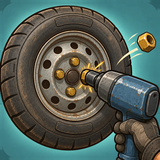
Tire Shop: Wheel Repair Simulator offers a relaxed gaming experience where each task requires manual effort: from loosening nuts with an impact gun to identifying air bubbles by spinning wheels in a water bath, and finally, repairing punctures and balancing the wheels.
• Take on 80 orders spanning three different eras: a 1980s garage, a roadside tire shop from the 2000s, and a contemporary tire center.
• Work on over 30 vehicles, ranging from vintage sedans to large SUVs.
• Every tenth order is unique, involving the repair of two, three, or even four wheels at once.
• Face new challenges such as changing tires using machinery, fixing dented rims, replacing valves, checking tread depth, sealing bead leaks, cleaning hub rust, and polishing tires.
• Use a torque wrench to tighten nuts in a star pattern for proper balance.
• Access 7 types of equipment, from a foot pump to a nitrogen station and an automatic tire changer.
• Unlock 6 sets of stylish lug nuts with stars earned.
• Enjoy realistic garage sounds, vibrations, and soothing blues music.
Mistakes only cost stars and tips, not the order itself, ensuring you can't lose progress. Skilled work earns you three stars and satisfied customers.
How to play
1. Accept an order at the garage, and the vehicle will drive onto the lift automatically.
2. Grip a nut firmly and hold it until the impact gun removes it. Once all nuts are off, move the wheel to the side.
3. Spin the wheel in water and tap on areas where bubbles emerge.
4. Repair the puncture: extract the nail, use a rasp to enlarge the hole in a circular motion, insert a plug with a needle, twist and pull out the needle, cut off the excess with a knife, and inflate the tire until the gauge reads in the green zone.
5. On the balancer, align the mark at the top and add weights as indicated on the display.
6. Mount the wheel back onto the hub and secure the nuts diagonally, tightening until the indicator turns green.
7. Collect your earnings, stars, and tips. Use them to purchase upgraded tools in the shop for faster work.
Controls: use the mouse or a single finger to tap, hold, drag, and draw circles. Select tools from the panel at the bottom. A hint will guide you through each new task the first time you encounter it.