Playhop
Block Craft 3D

Block Craft 3D

48Playhop rating
3,9
Players rating
0+
For boysSimulators
Narvik

Similar games

FunCraft Online Games
SkyWars Online80
SkyWars Online
Break the Noob Completely!56
16+
Break the Noob Completely!
House Paint39
House Paint
Cube Online - Survival with Friends85
Cube Online - Survival with Friends
BlockCraft82
BlockCraft
BedWars Online82
BedWars Online
Mine - Survival and Creative79
Mine - Survival and Creative
Geometry Dash: Super Editor63
Geometry Dash: Super Editor
Puzzle Arrows 3D
Puzzle Arrows 3D
Woodjong
Woodjong
Noob defends the village63
Noob defends the village
© 2022—2026.  Playhop
  • User agreement
  • Privacy policy
  • Digital Services Act
Technical SupportTechnical Support
Block Craft 3D

Block Craft 3D

0+
  • Narvik
  • ·
  • For boys
  • Simulators
48Playhop rating
3,9
Players rating
Log in with your username to reliably save your game progress and achievements

About game

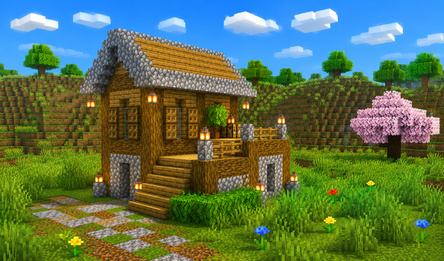
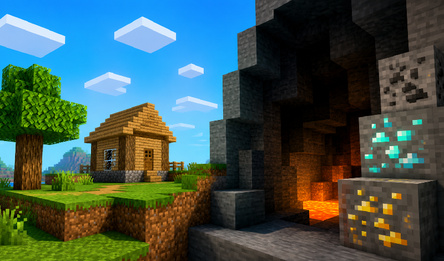
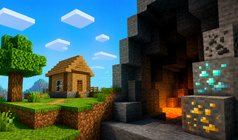
Immerse yourself in the fascinating world of construction, where your architectural dreams become reality! Inspired by Minecraft, this game allows you to create houses and buildings from many different blocks. Choose from a wide range of blocks of various shapes, colors and textures to create unique buildings, from cozy cottages to grandiose skyscrapers. The game offers an intuitive interface and simple tools that will help you realize the most daring ideas without unnecessary effort. Discover endless possibilities for creativity and become a real construction master in this virtual world where every block is a step towards your ideal building.

How to play

PC management: Character Management - WASD Space Jump Flight Mode - F (On/Off) Fly up - Space bar (when flight mode is on) Fly down- Shift (when flight mode is on) Open Inventory - E Save the map - Q Break the block - left mouse button Put a block - right mouse button Change the current mouse wheel block Control on the phone: Character control - arrow buttons in the lower left corner Jump - down arrow button in the lower right corner Flight mode - a button with wings in the upper right corner Fly up/down - arrow buttons in the lower right corner (when flight mode is on) To open the inventory, click on the panel with the blocks at the bottom in the center To save the map, click on the button with the file at the top in the center To turn on the mode to place blocks, click on the button with the cube in the upper left corner Break the block by tapping on the screen Put a block - tap on the screen (if the block mode is enabled) Change the current block -yellow arrow buttons
  • 3d
  • no registration
  • no download
  • endless
  • free
  • browser
  • high quality
  • desktop
  • baby
  • children
  • for PC
  • for teens
  • minecraft
  • mobile
  • sandbox
  • block
  • building
  • city building games
  • addictive
  • hidden treasures

Game info

Age rating
0+
Platforms
Authorization support
Yes
Localization
Russian, English
Screen orientation
Release date
Jul 16, 2024
Cloud saves
No
Categories
  1. All games
  2. For boys
  3. Block Craft 3D
Feedback
Games for you
FunCraft Online GamesFunCraft Online Games
SkyWars OnlineSkyWars Online80
Break the Noob Completely!Break the Noob Completely!56
House PaintHouse Paint39
Cube Online - Survival with FriendsCube Online - Survival with Friends85
BlockCraftBlockCraft82
BedWars OnlineBedWars Online82
Mine - Survival and CreativeMine - Survival and Creative79
Geometry Dash: Super EditorGeometry Dash: Super Editor63
Puzzle Arrows 3DPuzzle Arrows 3D
WoodjongWoodjong
Noob defends the villageNoob defends the village63

Players say

Block Craft 3D is an interesting game
The game has nice graphics.
Players celebrate the possibility of construction
Users praise the management
There are many blocks in the game.
Block Craft 3D evokes positive emotions
Summarized by AI based on the latest player reviews. Answers may be inaccurate