







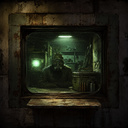
Zone Idle: Trader's Bunker
About game
In Zone Idle: Trader's Bunker, you manage a bunker on the outskirts of the anomalous Zone. Stalkers with empty wallets but loaded packs regularly visit your place. Behind your terminal, you'll find a map, contracts, and supplies like ammo, artefacts, and dangerous missions from outside the perimeter.
Assemble teams, navigate through the misty map, eliminate threats, and transform scrap metal into ammunition, raw meat into rations, and artefacts into profitable deals. Build your reputation with factions, tackle map hazards, seek rare loot, and upgrade your bunker to turn it into the most bustling trading post in the Zone.
Experience the laid-back yet intricate management of an idle trader sim in a post-apocalyptic setting.
How to play
Mouse clicks or taps are the main controls in the game. Left-click or tap on the bunker scene zones: * Computer — access the terminal; * Workbench — create and repair items; * Window — start a conversation with a guest (if someone is waiting). Left-click or tap on buttons at the bottom bar to open terminal tabs (Main, Orders, Stalkers, Map, Inventory, etc.). Left-click or tap "Next Day" to advance one day. Left-click or tap "Save / Load" to save progress or load a saved game. Left-click or tap "Back" or ESC to return to the bunker scene. Left-click or tap «?» for help. To open an order card, left-click or tap it, then choose "Accept" or "Decline". Left-click or tap the "Gear" button or "Call" on a stalker to equip them or invite them to the window. On the map, left-click or tap a point → select mission type → "Next" / "Back" → "Confirm" to send the squad. In the window, left-click or tap an answer to continue the conversation or trade. At the workbench, left-click or tap "Craft" / "Repair" / "Disassemble", then select a recipe or item and "Create". Left-click or tap × in a notification or × in a pop-up window to close it.Game info
Age rating
12+
Platforms
Authorization support
Yes
Localization
Russian, English
Screen orientation
Release date
Cloud saves
Yes
Categories